Create full content: courses, ebooks, business plans, and more. in one pass.
Plan an outline, let Tomeo write each subsection in the background, then export a polished PDF or Word file.
How it works
Two paths to a finished draft: Templates give you a fast, structured starting point you can tweak manually; Tomeo Agent dynamically interviews you, adapts the outline, and seeds the first version across all sections automatically.
Outline
Start with a structured template or build your own. Your outline is the blueprint Tomeo uses to write.
Generate
Our background engine writes each subsection. Close your browser—come back to drafts.
Export
Review and refine. Then download a polished PDF or Word file with a single click.
See Tomeo in action
Follow the journey from initial dashboard to finished content—each step illustrated.
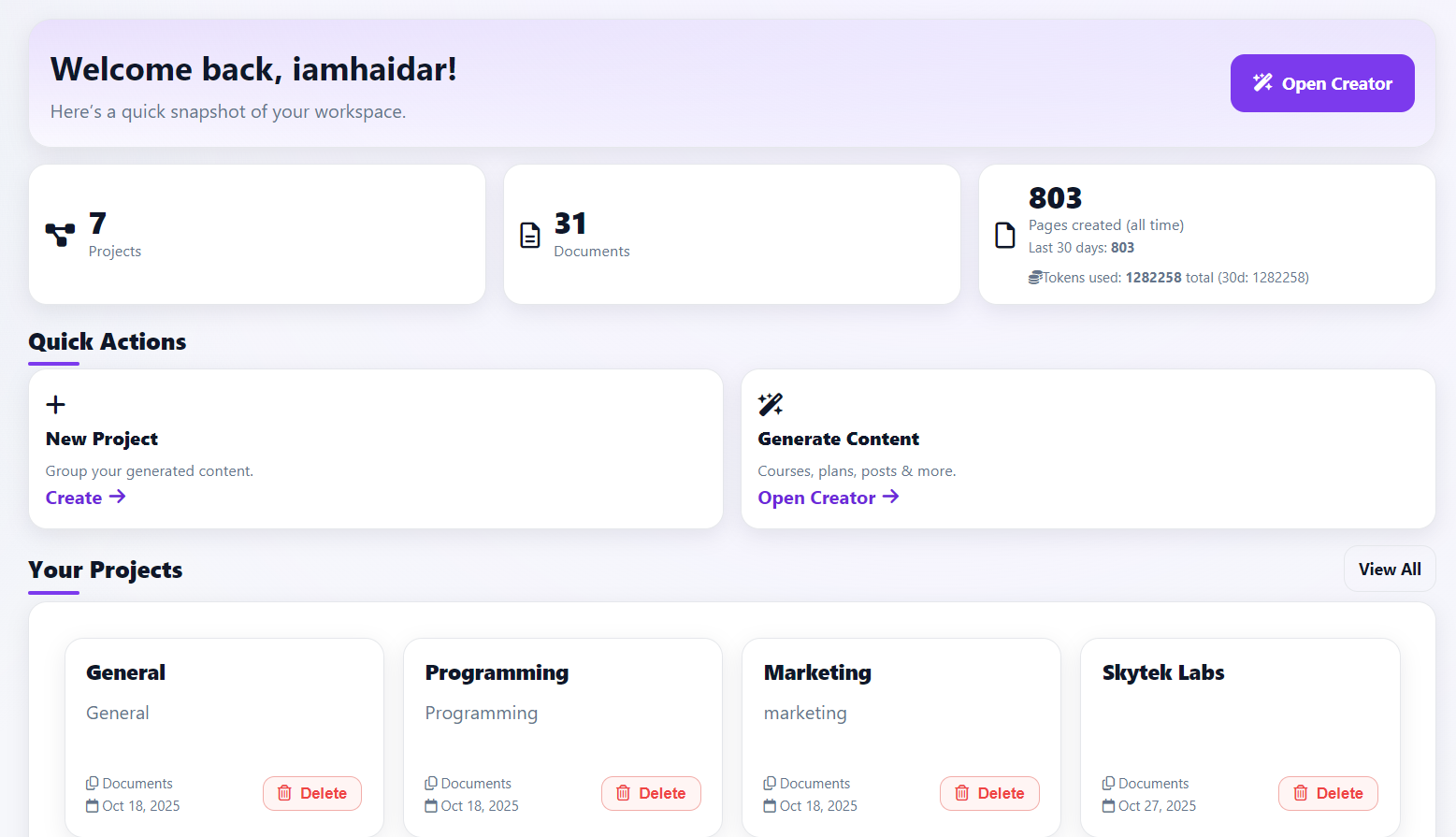
1. Dashboard
A single place to track outlines, active generation jobs, drafts, and exports.
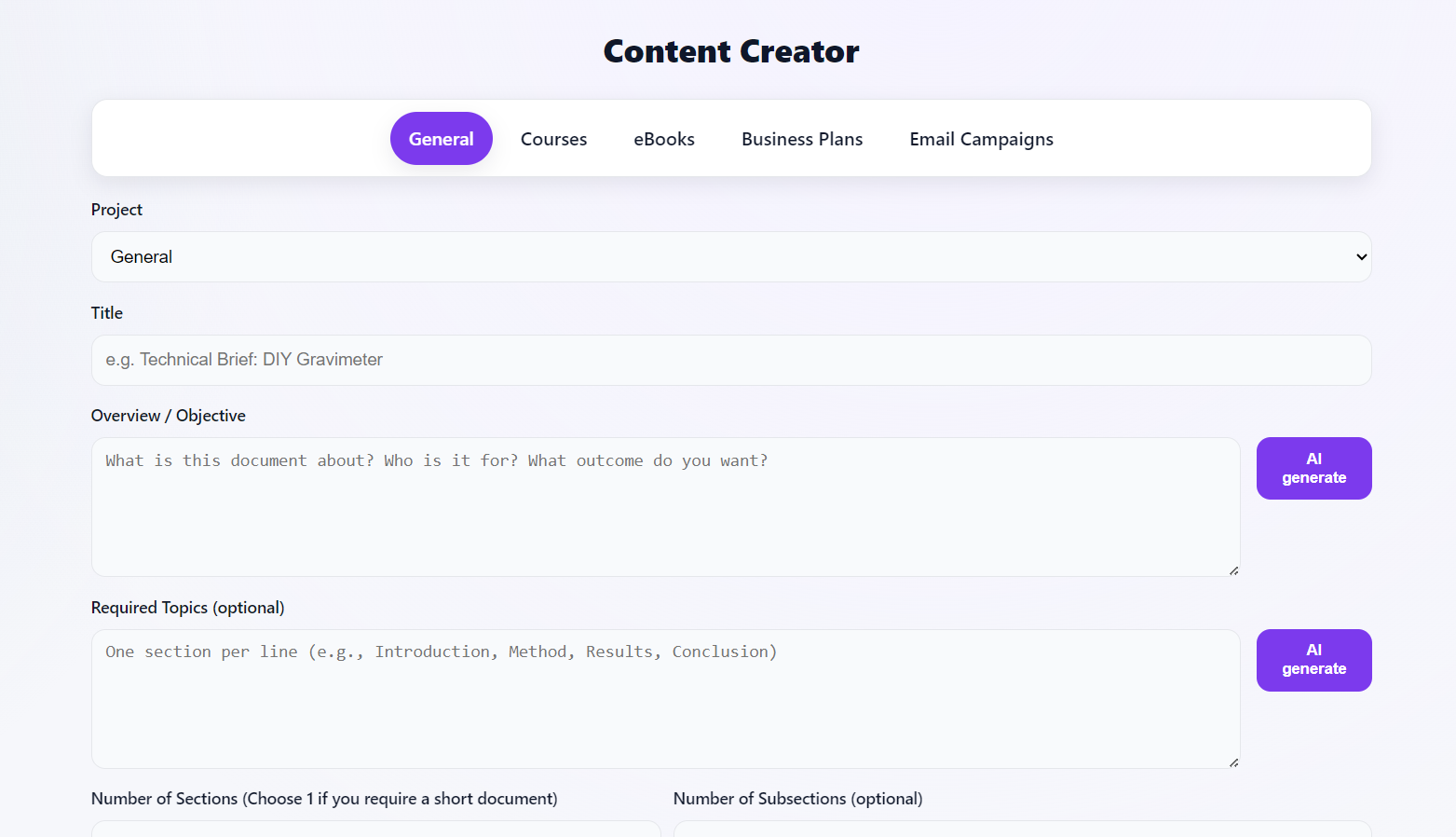
2. Template Generators
Pick a structured starting point (course, ebook, business plan) or go fully custom with the agent.
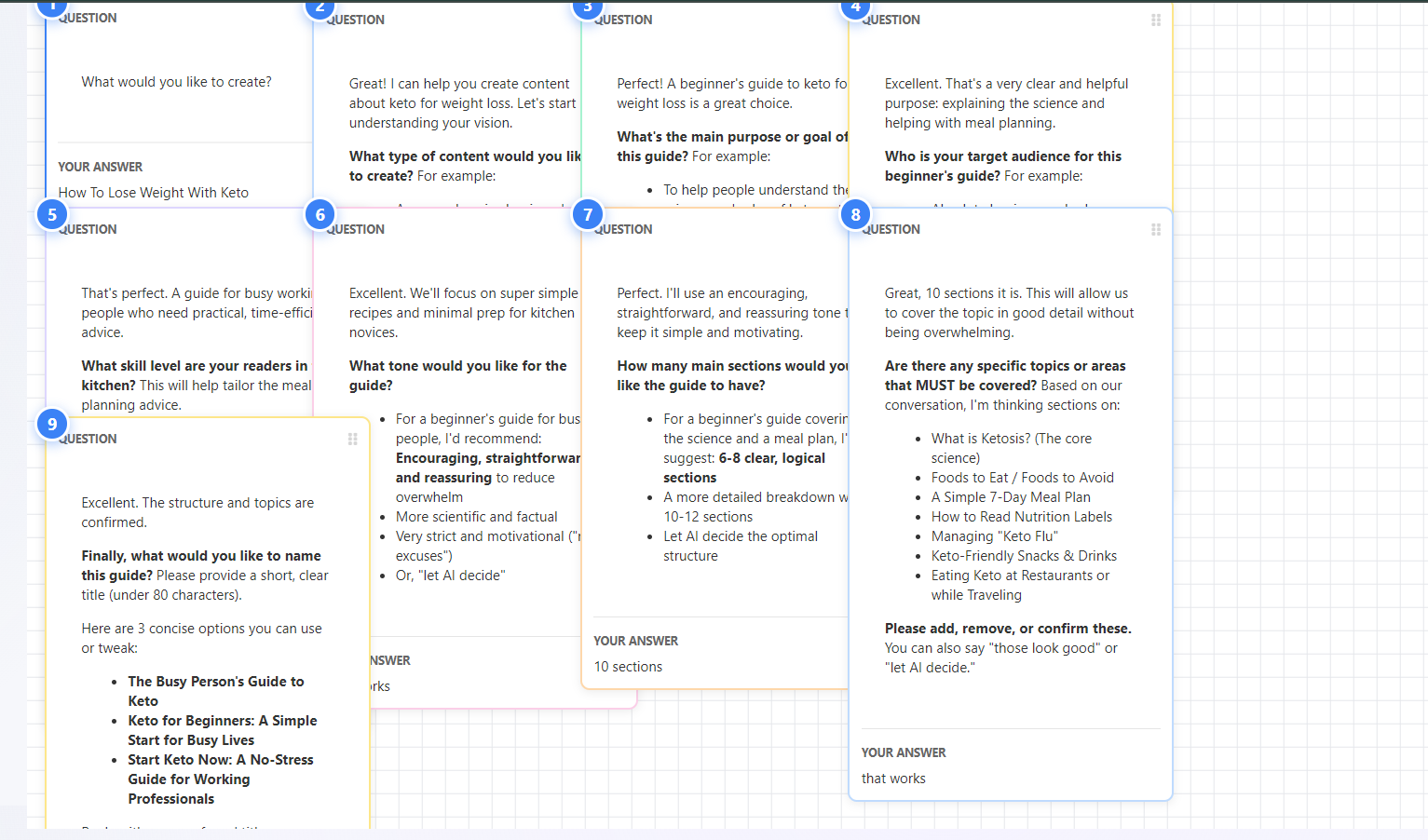
3. Agent Interview
Answer adaptive questions—the agent refines scope, depth, and structure as it learns more.
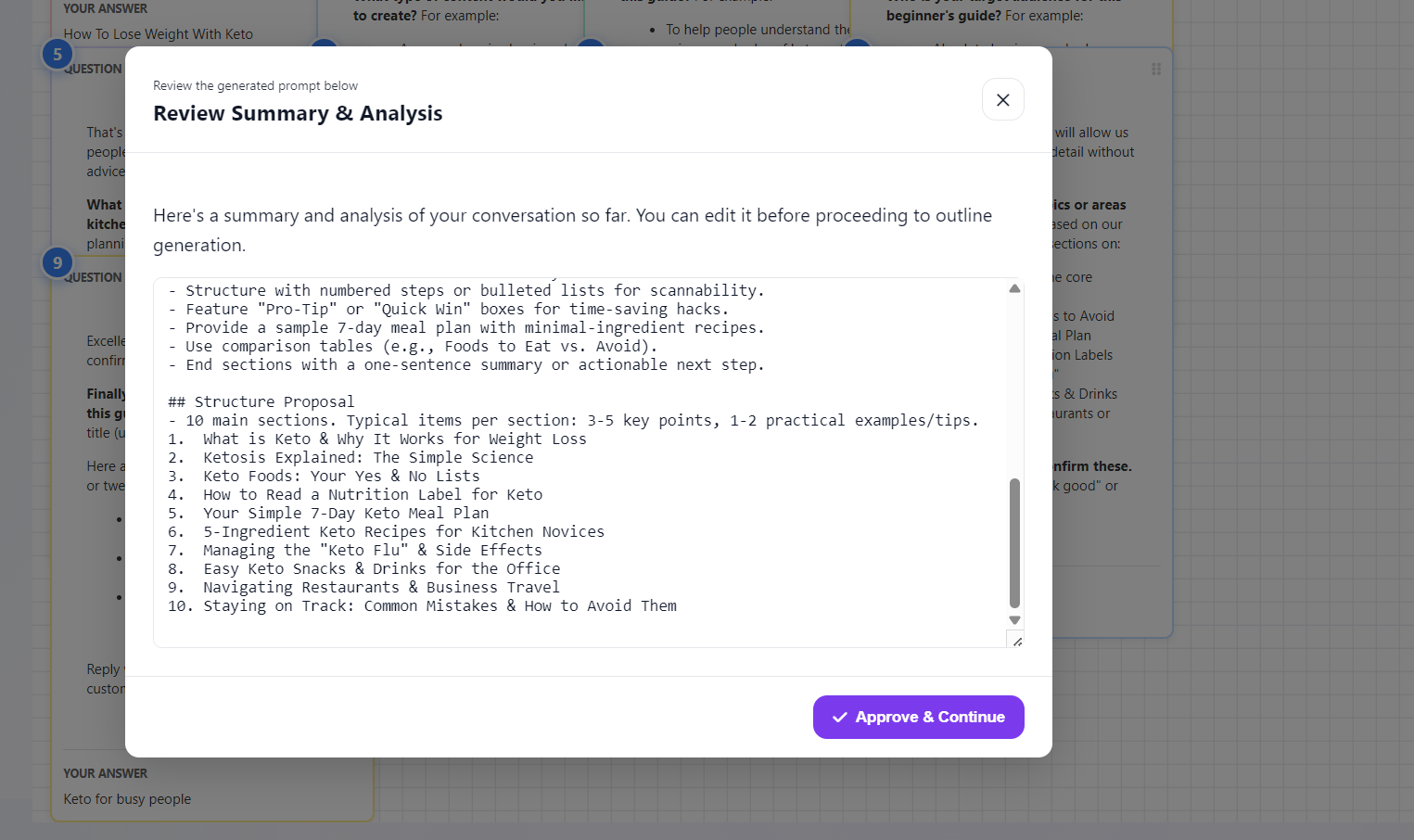
4. Interview Summary
Review mapped concepts, relationships, and any suggested additions before outline generation.
5. Outline Approval
Approve or tweak the structured outline—the backbone for all downstream drafting.

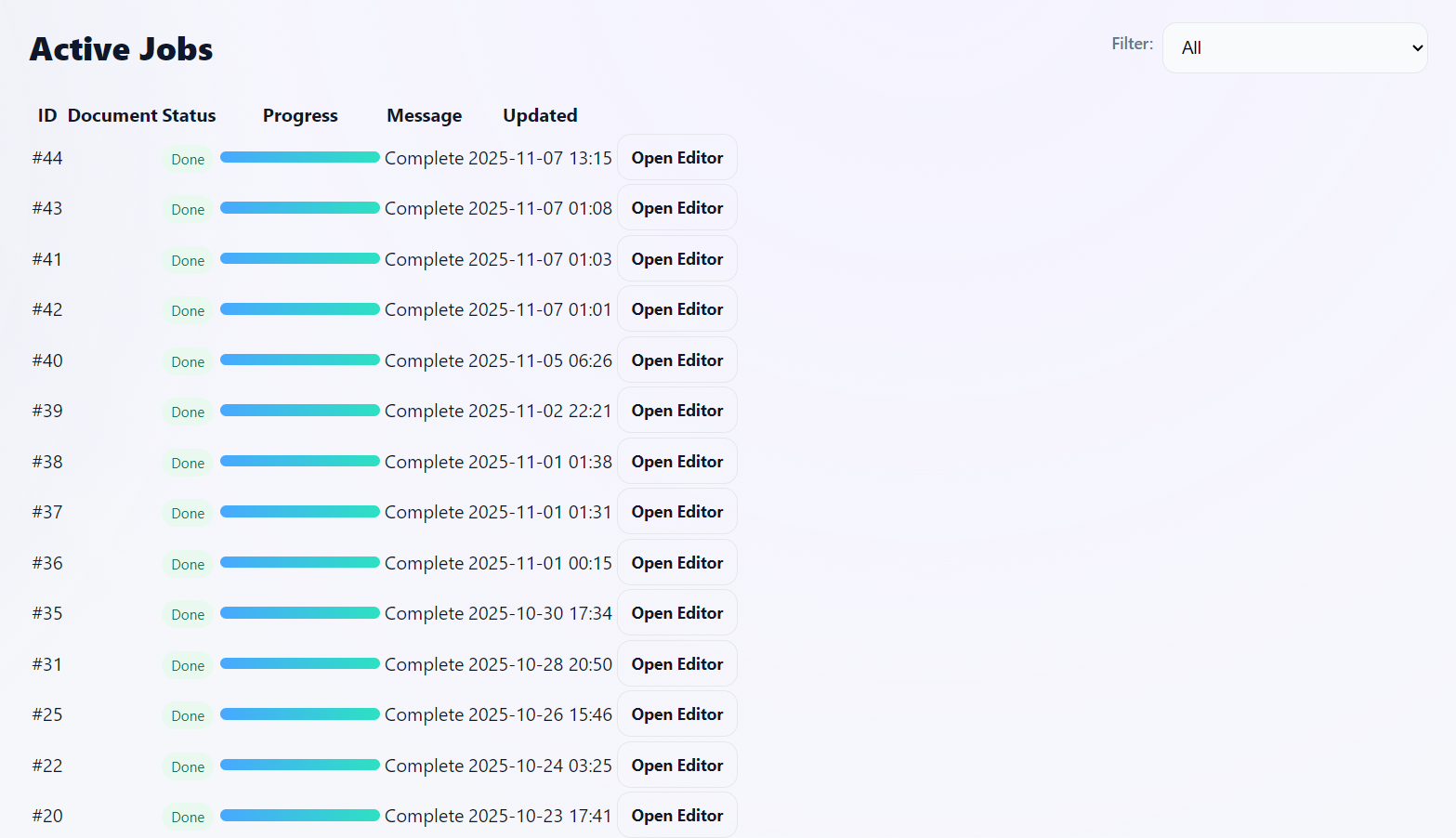
6. Job Monitoring
Track progress as each subsection generates in the background—close the tab anytime.
7. Editor
Refine tone, regenerate specific subsections, and apply structural tweaks without losing context.

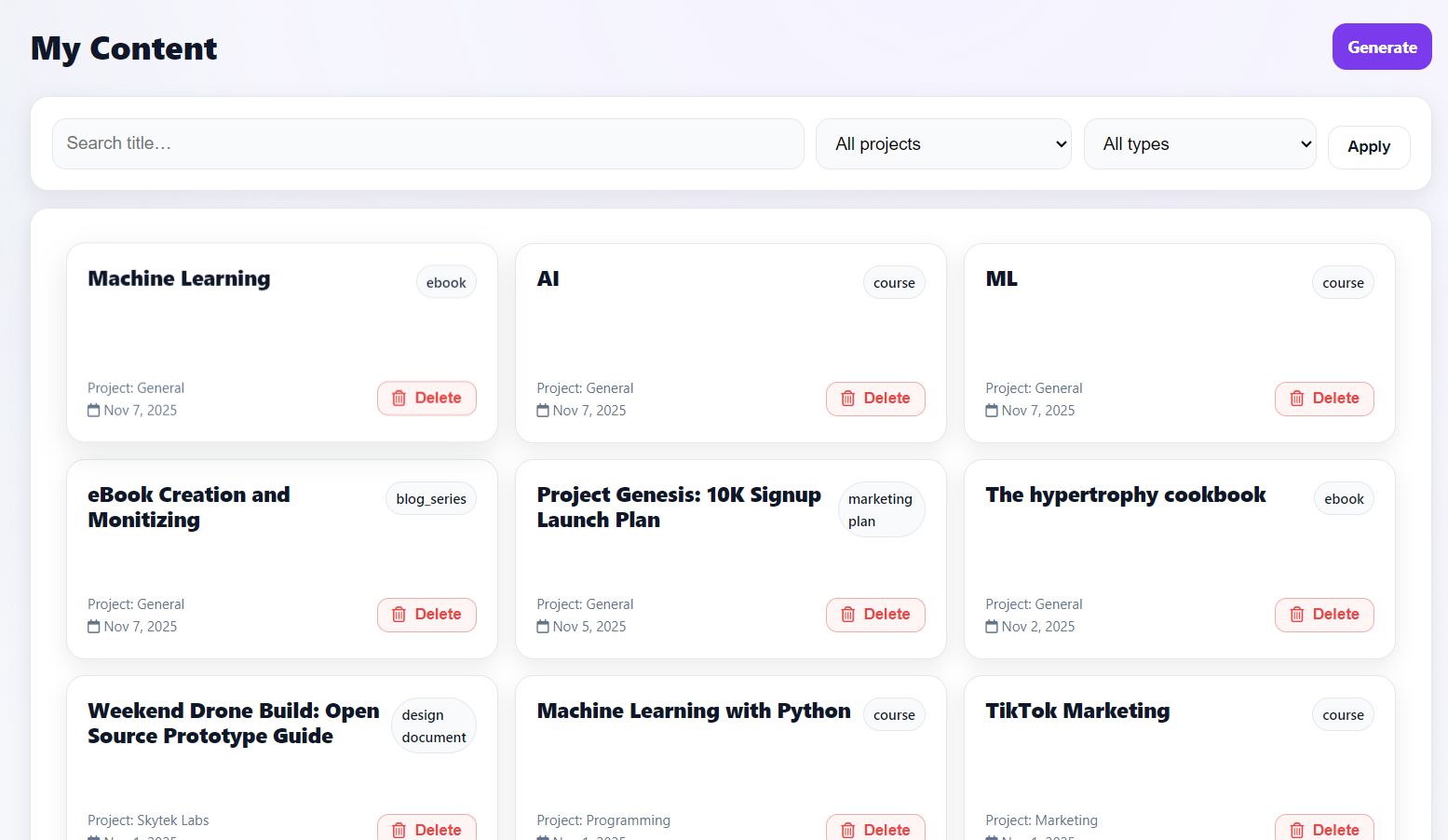
8. My Content
Browse finished drafts, export to PDF or Word, and start new projects instantly.
Built for creators
Turn raw ideas into structured, publish‑ready long‑form content without grinding through drafts.
- Guided planning: Tomeo Agent interviews you, maps relationships, and drafts the first version.
- Outline fast: Start from adaptive templates or generate a custom structure in seconds.
- Background drafting: Sections write while you do something else—close the tab and return later.
- Targeted refinement: Regenerate only the subsection you want to improve—preserve the rest.
- Consistent voice: Apply tone & style controls across chapters, lessons, posts, or emails.
- Built‑in SEO & structure: Headings, scannable sections, and internal link prompts for discoverability.
- Clean editor: Distraction‑free editor with sensible formatting and quick AI rewrites where you need them.
- Export ready: Produce polished PDF & Word outputs for sharing or further editing.
- Focused iteration: Rewrite individual paragraphs/items with safety limits (no mass overwrite).
Templates
Pick a starting point—or let Tomeo Agent guide you with custom questions.
New • Most powerful
Tomeo Agent
Answer a few tailored questions and Agent will build the outline and write the first draft for any topic—design documents, business plans, proposals, reports, you name it. It includes a live canvas for visualizing structure, timelines, and key relationships.
- Adaptive interview (auto‑refines questions)
- Canvas for diagrams & section mapping
- Per‑section regenerate & style controls
- Export to PDF & Word
General
General document generator: build a flexible outline for any long‑form piece (reports, articles, guides) and let Tomeo draft each subsection in the background.
- Flexible outline editor (sections & items)
- Approve outline, then background generation
Course
Turn a topic into a structured curriculum with modules, lessons, outcomes, and assessments.
- Auto‑generated syllabus & outcomes
- Lesson plans with activities & resources
Business Plan
Executive summary, market analysis, GTM, ops, and financials—ready to export.
- Outline driven by your inputs
- Per‑section regenerate for polish
Email Campaign
Multi‑email sequences with subject line ideas and CTA alignment.
- Cold, nurture, or launch sequences
- A/B suggestions for subject lines
eBook
Long‑form structure with chapters, summaries, and callouts—export‑ready.
- Chapter planner & synopsis
- Figures & callout stubs
Features
Everything you need to plan, write, and polish content that converts.
SEO‑aware outlines
Structured headings and scannable sections baked in from the start.
Tone & style presets
Keep a consistent voice across long‑form pieces.
Internal link prompts
Surface relevant sections and suggested anchors as you draft.
CTA suggestions
Align copy with clear next steps—no guesswork.
Background generation
Let the engine write sections while you focus elsewhere.
Per‑section regenerate
Iterate on just one part without rewriting the whole draft.
Autosave
Every edit is saved—no lost progress.
PDF & Word export
Share a polished PDF or continue editing in .docx.
Tomeo Agent
Adaptive interview, canvas for structure, and style controls to accelerate planning.
Pricing
Choose a plan and pay monthly or annually.
FAQs
Quick answers before you get started.
What happens if I close my browser? ⌄
Your content continues generating in the background. When you return, your draft will be waiting.
Can I edit the content after it's generated? ⌄
Absolutely. Edit any section, regenerate specific parts, and format text before exporting.
What formats can I export to? ⌄
Download your final document as a professionally formatted PDF or an editable Word (.docx) file.
Is there a free trial? ⌄
Yes—start a full‑featured 3‑day free trial to see if Tomeo fits your workflow.
Ready to write faster?
Start your free trial and turn your ideas into content.